
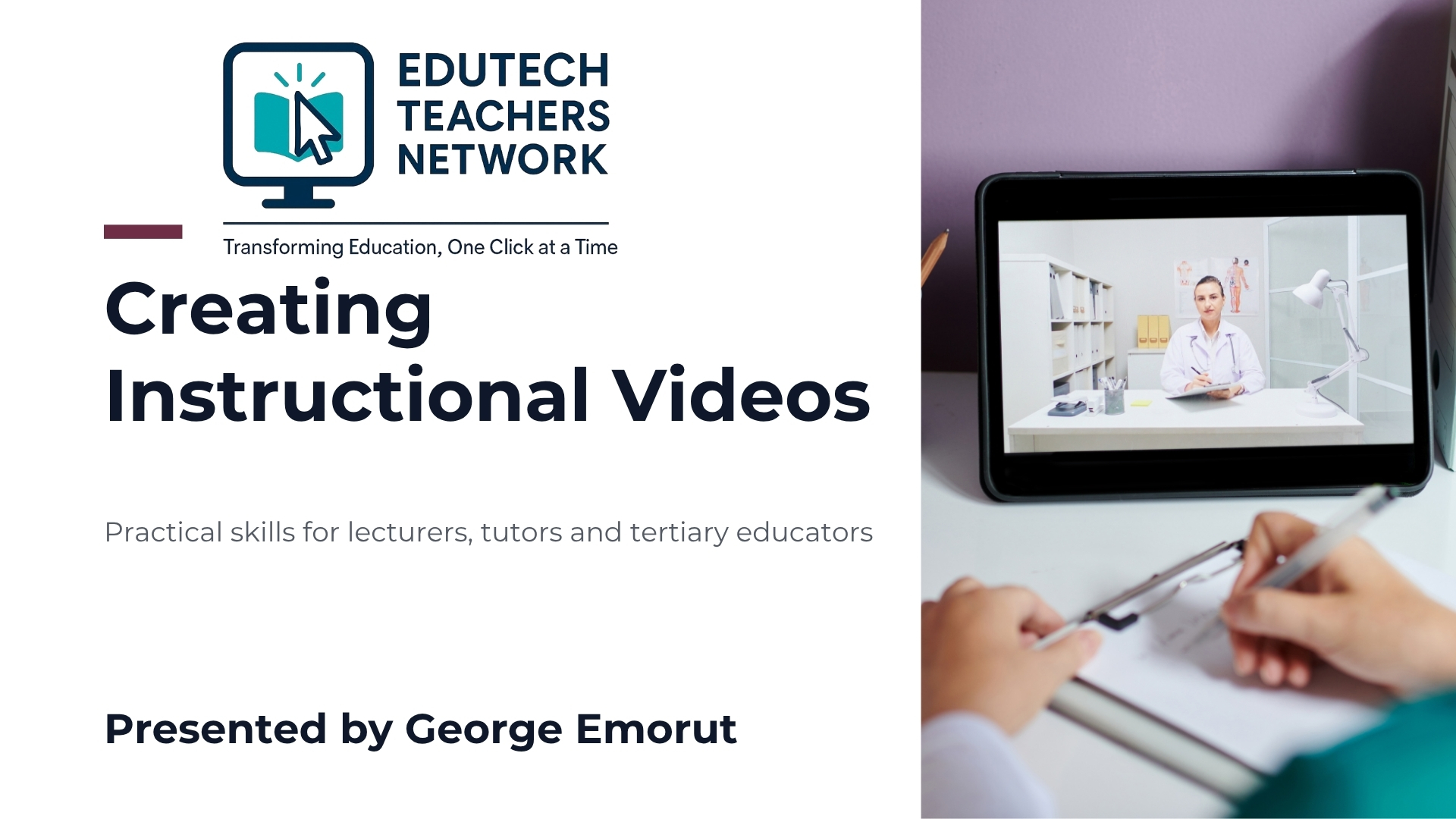
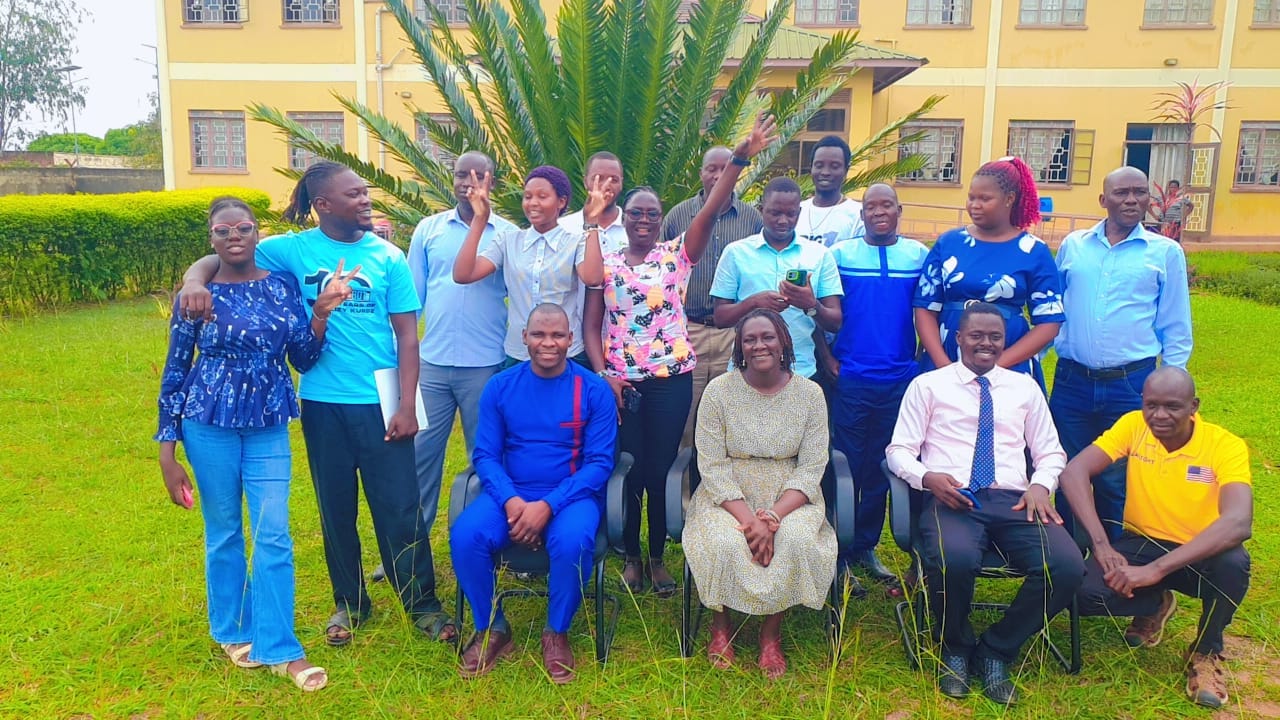
I am delighted and grateful for the opportunity to facilitate a practical session on Creating Instructional Videos for lecturers, tutors and other educators from tertiary institutions under the EduTech Teachers Network (ETN). It is a privilege to contribute to an initiative that equips educators with practical digital skills to enrich teaching, strengthen learning experiences and support the continued integration of technology into education.
As education increasingly embraces digital and blended learning approaches, instructional videos are becoming valuable resources for explaining complex concepts, demonstrating practical procedures and extending learning beyond the traditional classroom. My session was designed to help tertiary educators understand not only why instructional videos matter, but also how they can plan, record, edit and integrate their own videos into teaching using accessible digital tools.
For me, this opportunity represents more than facilitating a technology session. It is an opportunity to share knowledge, learn alongside fellow educators and contribute to a community that recognises the potential of educational technology to transform teaching and learning.
Why Instructional Videos Matter in Tertiary Education
University lecturers, tutors and other tertiary educators handle concepts that often require detailed explanations, visual demonstrations, practical examples and opportunities for repeated learning. However, the traditional classroom environment does not always provide sufficient time for every learner to revisit difficult concepts or work through procedures at an individual pace.
Instructional videos provide one way of addressing these challenges.
During the session, I emphasised that well-designed educational videos can help learners pause, replay and review explanations whenever necessary. This is particularly useful when studying complex theories, mathematical calculations, scientific procedures, computer applications and other topics that benefit from step-by-step demonstrations.
Instructional videos can also extend learning beyond scheduled contact hours. Lecturers can share short videos before a lesson to introduce a concept, during a lesson to support a demonstration, or after a lesson to reinforce understanding.
When integrated thoughtfully into blended and online learning, videos can also create more opportunities for meaningful classroom engagement. Instead of using all contact time to deliver explanations, lecturers can dedicate more time to discussions, problem-solving, practical exercises, research activities and personalised feedback.
Other benefits include supporting diverse learning needs through a combination of spoken explanations, visual demonstrations, on-screen text and captions, as well as building reusable digital learning resources that can benefit successive cohorts of students.
The central message is simple: instructional video is not merely a recording of teaching. It is a resource that can make learning more accessible, flexible and engaging when designed around clear educational objectives.
Designing Learning Before Recording
One of the important principles I shared is that effective instructional videos begin with sound instructional design, not with the recording button.
It is tempting to open a screen recorder, display presentation slides and record an entire lecture. However, a long recording filled with unnecessary pauses, lengthy introductions and excessive content may not provide the focused learning experience students need.
I encouraged educators to begin by identifying what learners should know or be able to do after watching the video.
For example, rather than creating a broad video titled Introduction to Research Methods, a lecturer could develop a focused resource titled How to Formulate a Research Question. Similarly, a lecturer teaching computer applications might create a short demonstration showing students how to analyse data in Microsoft Excel.
A clear learning outcome helps determine the content, examples, visuals and activities that should appear in the video.
I introduced a practical workflow that educators can apply to their own courses:
- Define the learning outcome: Identify what students should know or do.
- Design the content: Select the key ideas, examples and demonstrations.
- Record the video: Choose the most appropriate recording method.
- Edit the recording: Remove distractions and add useful learning cues.
- Publish the resource: Make the video accessible through the institution’s learning platform or another appropriate channel.
- Activate learning: Provide a question, exercise, discussion or assessment that requires students to apply what they have learned.
For many instructional videos, a duration of approximately three to seven minutes can provide a useful starting point, particularly when addressing one concept or demonstrating one procedure. The appropriate length, however, depends on the learning objective and the complexity of the content.
Recording Instructional Videos Using OBS Studio
A key component of the session was introducing OBS Studio as a practical tool for creating screen-recorded instructional videos.
OBS Studio is particularly useful for lecturers who need to demonstrate software applications, explain presentation slides, navigate learning management systems, teach coding, demonstrate data analysis or guide students through online research procedures.
Using screen recording, an educator can capture what is happening on a computer screen while providing a spoken explanation. A webcam can also be included where appropriate, allowing students to see the lecturer alongside the demonstration.
I highlighted several essential elements of a simple OBS Studio recording setup:
- Display or window capture: To record a presentation, browser window, software application or other on-screen activity.
- Microphone: To capture clear spoken explanations.
- Camera: To include the lecturer when a face-to-face connection would benefit the lesson.
- Scenes: To organise different recording layouts, such as an opening screen, a demonstration and a closing screen.
- Recording controls: To test the setup, begin recording and save the finished recording.
I also emphasised the importance of testing the microphone, checking what appears on the screen and making a short test recording before beginning the main lesson.
Lecturers do not need elaborate recording studios to get started. A computer, a suitable microphone or headset, OBS Studio and a clear teaching plan can provide a practical starting point.
The objective is not to produce a television programme. It is to help students understand a concept or perform a task more effectively.
Using Smartphone Cameras to Record Learning Videos
Not every instructional video requires a computer screen recording. Some lessons are best delivered by showing the lecturer, demonstrating a physical process, recording an interview or capturing an activity in a laboratory, workshop or field setting.
For such situations, a smartphone camera can be a convenient and accessible recording tool.
During the session, I highlighted practical techniques for improving smartphone recordings without necessarily investing in expensive equipment.
Lighting: Position the lecturer where sufficient light illuminates the face or demonstration. Avoid placing a bright window directly behind the subject.
Framing and stability: Position the camera at an appropriate height, keep the shot steady and ensure the subject or demonstration is clearly visible.
Audio: Record in a quiet environment and position the phone close enough to capture clear speech. Where available, an external microphone can improve sound quality.
Orientation: Landscape recording is often appropriate for videos intended for course platforms and computer-based viewing, although portrait video may be suitable for particular mobile-first learning activities.
Presentation: Speak naturally, maintain an appropriate pace and look towards the camera when addressing learners directly.
These simple practices can significantly improve the quality and usefulness of recorded lessons.
My emphasis was that lecturers should begin with the equipment they already have and concentrate on producing clear, focused and educationally useful content.
Editing Instructional Videos with CapCut
Recording is only one part of the process. Editing helps transform raw footage into a more focused learning resource.
I introduced CapCut as an accessible video-editing option that lecturers can use to improve recordings before sharing them with students.
The session focused on practical editing tasks that directly support teaching and learning.
Trimming and splitting: Remove unnecessary introductions, long pauses, mistakes and repeated sections.
Adding text and labels: Display key terms, formulas, headings, steps and instructions so that learners can follow the explanation more easily.
Inserting images and screen clips: Include additional visuals when they clarify a concept or provide a useful example.
Adding captions: Make spoken explanations more accessible and give learners another way to follow the content. Automatically generated captions should be reviewed for accuracy, especially when using technical terminology or local-language content.
Improving audio: Ensure that the lecturer’s voice remains clear and consistent, without distracting background sounds or unnecessarily loud music.
Exporting the video: Select a suitable resolution and file size that balance visual clarity with practical access for students using different devices and internet connections.
I encouraged educators to edit with a clear purpose. Every transition, caption, visual highlight or text overlay should help learners understand, notice, remember or apply something.
A simple video with clear audio, readable text and a well-organised explanation is often more useful than a heavily decorated production that distracts from the lesson.
Turning Video Viewing into Active Learning
An important message from the session was that instructional videos should not encourage passive learning.
Uploading a video to a learning management system does not automatically mean students will understand or apply its content. Lecturers need to connect video viewing to activities that encourage learners to think, practise, discuss and demonstrate understanding.
I shared a practical sequence that lecturers can adapt to their courses:
- Watch: Students view a focused instructional video.
- Think: They answer a guiding question or identify the main idea.
- Do: They complete a task that applies the demonstrated concept.
- Discuss: They compare solutions, explain their reasoning or debate different approaches.
- Assess: They complete a quiz, assignment, practical demonstration or other assessment.
- Receive feedback: The lecturer addresses misconceptions and guides further learning.
For example, a lecturer teaching statistics might share a video demonstrating how to calculate a particular statistical measure. After watching, students could analyse a new dataset and submit their calculations for feedback.
A lecturer teaching educational technology could share a screen-recorded demonstration of creating an online assignment, then ask students to create and configure their own assignments in a practice learning management system.
In this approach, video becomes one part of a broader learning experience that connects explanation with application.
Hands-On Learning: From Planning to Production
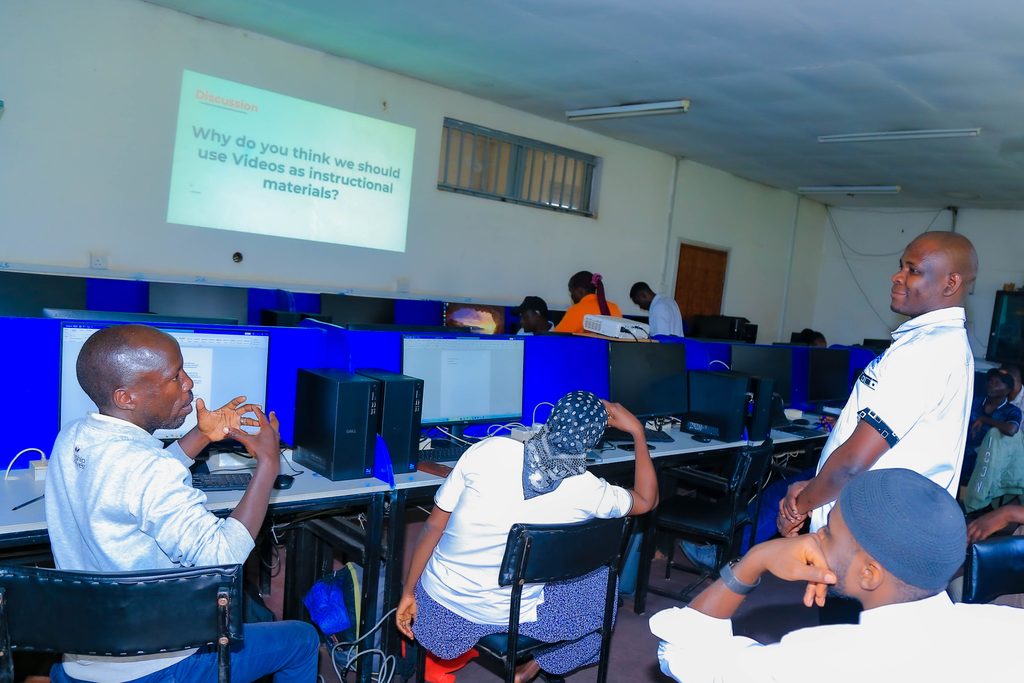
I believe that professional development in educational technology is most valuable when participants have opportunities to practise the skills being introduced.
For that reason, the session included practical activities designed to help educators move from understanding instructional video creation to applying it to their own teaching.
The first activity challenged participants to plan a short instructional video based on a real topic from a course they teach. They were encouraged to identify a learning outcome, select the main points to explain, determine the visuals required and choose an appropriate recording method.
The second activity focused on creating a short instructional video. Participants were challenged to record approximately two to five minutes of teaching using OBS Studio or a smartphone, edit the recording in CapCut, add at least one useful learning cue and share the resulting video with a colleague for feedback.
This practical approach encourages educators to experiment with tools, identify areas for improvement and begin developing digital resources that are relevant to their own disciplines.
It also reinforces an important principle: educators do not need to master every feature of a video-production application before creating their first useful learning resource.
They can start with a simple recording, reflect on the result and gradually improve their production skills.
Quality Assurance Before Publishing
Before sharing an instructional video with students, lecturers should review it to ensure that it is fit for its intended purpose.
I encouraged educators to consider the following questions:
- Does the video support a clearly defined learning outcome?
- Is the explanation accurate, focused and understandable?
- Can students hear the lecturer clearly?
- Are the lecturer, screen content and demonstrations visible?
- Is the on-screen text readable on different devices?
- Have captions or a transcript been provided where appropriate?
- Can unnecessary sections be shortened or separated into smaller videos?
- Is the video accessible through the intended learning platform?
- Have students been given an activity to complete after viewing?
Lecturers should also consider internet connectivity, file size, students’ access to devices and the institution’s policies on sharing educational content.
Where appropriate, supplementary materials such as notes, transcripts, presentation slides or downloadable practice files can provide additional support.
These checks help ensure that the video is not only technically functional but also useful, accessible and aligned with the learning experience.
My Reflections on Facilitating the Session
I am genuinely happy to have had the opportunity to facilitate this session and contribute to the professional development of educators working in tertiary institutions.
Education technology continues to create opportunities for educators to rethink how knowledge is presented, how students engage with learning materials and how teaching can extend beyond the physical classroom. Being part of a conversation that helps lecturers explore these possibilities is both exciting and meaningful to me.
I particularly value practical training that empowers educators to take immediate action. A lecturer who leaves a session with the confidence to plan, record and edit a short instructional video has gained a skill that can be applied repeatedly across courses, semesters and student cohorts.
I am grateful to the EduTech Teachers Network for the opportunity to contribute to this important work. I also appreciate the educators who continue to embrace new ideas, share their experiences and explore ways of making teaching and learning more effective through technology.
My hope is that the knowledge and practical skills shared during the session will inspire more lecturers to develop focused digital learning resources, experiment with appropriate tools and integrate instructional videos meaningfully into their teaching practices.
Ultimately, the goal is not simply to create more videos. It is to create better learning experiences.
A Call to Tertiary Educators: Start Small, Teach Clearly and Keep Improving
To fellow lecturers, tutors and educators, my encouragement is simple: identify one topic your students often find difficult, choose a suitable way to explain or demonstrate it, and create your first short instructional video.
You can begin with OBS Studio for screen demonstrations, a smartphone for live recording, and CapCut for editing. You can then share the video through your institution’s learning management system or another appropriate platform and connect it to a meaningful learning activity.
As you gain confidence, you can build a collection of instructional videos that supports your teaching and gives students more opportunities to revisit essential concepts.
You do not need a professional studio to begin. You need a clear learning outcome, a thoughtful plan and the willingness to start.
I look forward to continuing to support educators and institutions as they explore practical ways of integrating educational technology into teaching, learning and research.
About the Facilitator
George Emorut is a multi-skilled ICT specialist, Education Technology Facilitator, Digital Marketing Specialist and multimedia creator with experience in ICT education, digital skills training and the integration of technology into teaching and learning.
He is passionate about empowering educators with practical digital skills and helping institutions explore meaningful ways of using technology to improve educational experiences.
- Website: www.emorut.com
- YouTube: Tech With Tr. George

Leave a Reply